 Assemble3
Detecting collisions
A collision happens when two objects touch. It is the most used event in games: grabbing coins, taking damage, a shot hitting something.
The condition
Pick one of the objects in the condition window and look for Collision. Select the second object:
| Conditions | Actions |
|---|---|
Player Collision with Coin |
Coin Delete |
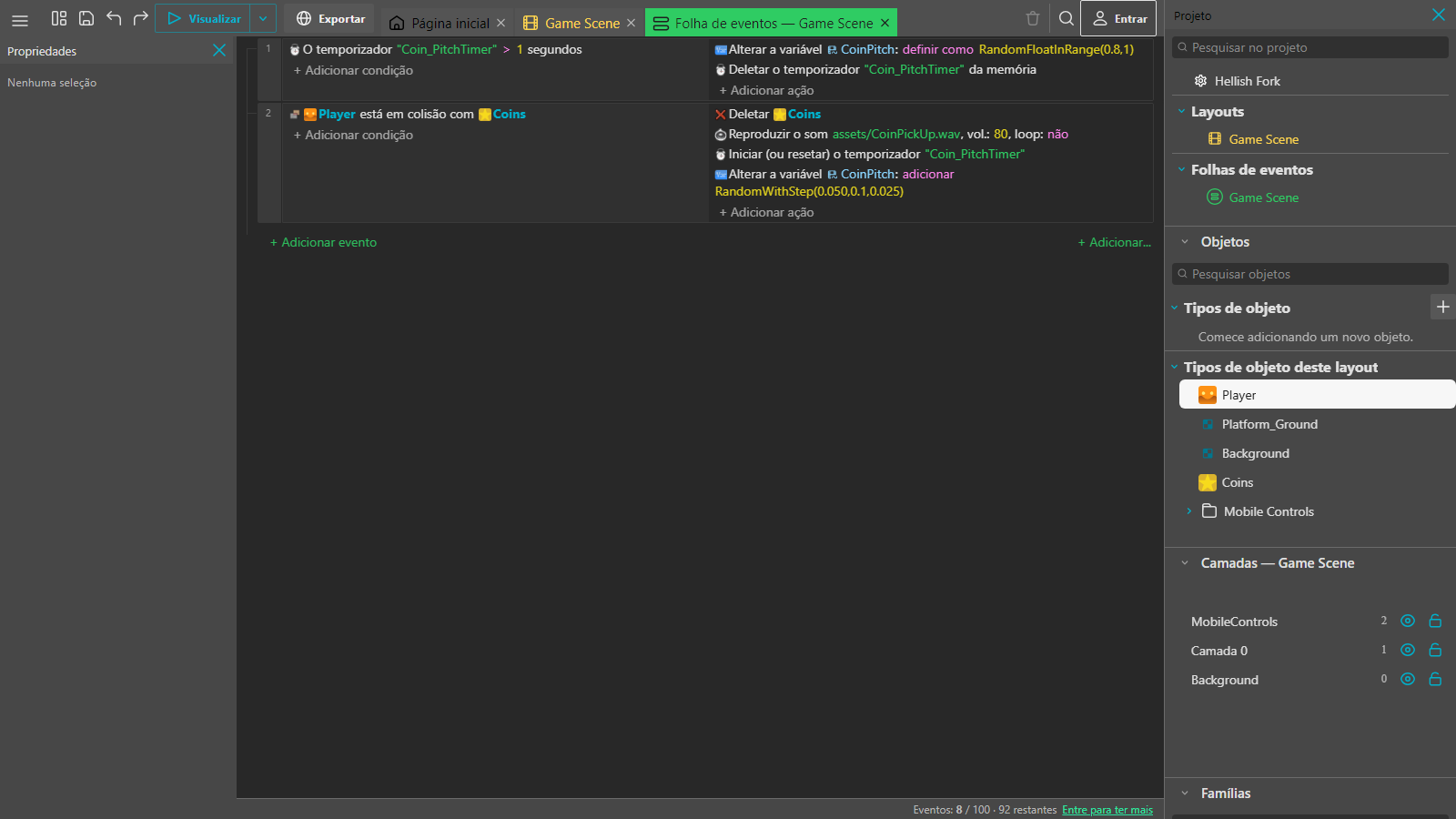
Event 2 in the picture is exactly this: Player is in collision with Coins, and the coin is deleted.
Collisions use the collision mask
The game tests the sprite's collision mask, which by default is the whole image box. For a fairer collision, open the object and click Edit collision masks to adjust the shape.
Examples
Lose a life by touching an enemy
| Conditions | Actions |
|---|---|
Player Collision with Enemy |
Change variable value Lives - 1 · Enemy Delete |
A shot that destroys the enemy
| Conditions | Actions |
|---|---|
Shot Collision with Enemy |
Shot Delete · Enemy Delete |
Jumping on the enemy's head
The object's Is on top of condition tests whether one object is above another, which is simpler than comparing positions:
| Conditions | Actions |
|---|---|
Player Is on top of Enemy |
Enemy Delete |
Blocking the way
To keep the character from passing through walls and floors you do not need events. Use the Platform behavior on the character and Solid on the walls. See Behaviors.
Tip: if a collision does not fire, check the object names and whether both instances are really on the same layer and visible in the preview.