 Assemble3
Behaviors
A behavior is ready-made logic you attach to an object: walking like in a platformer, following the mouse, being dragged, disappearing offscreen.
Add a behavior
Double-click the object, open the Behaviors tab and click Add a behavior. Each one's properties show in the same window:
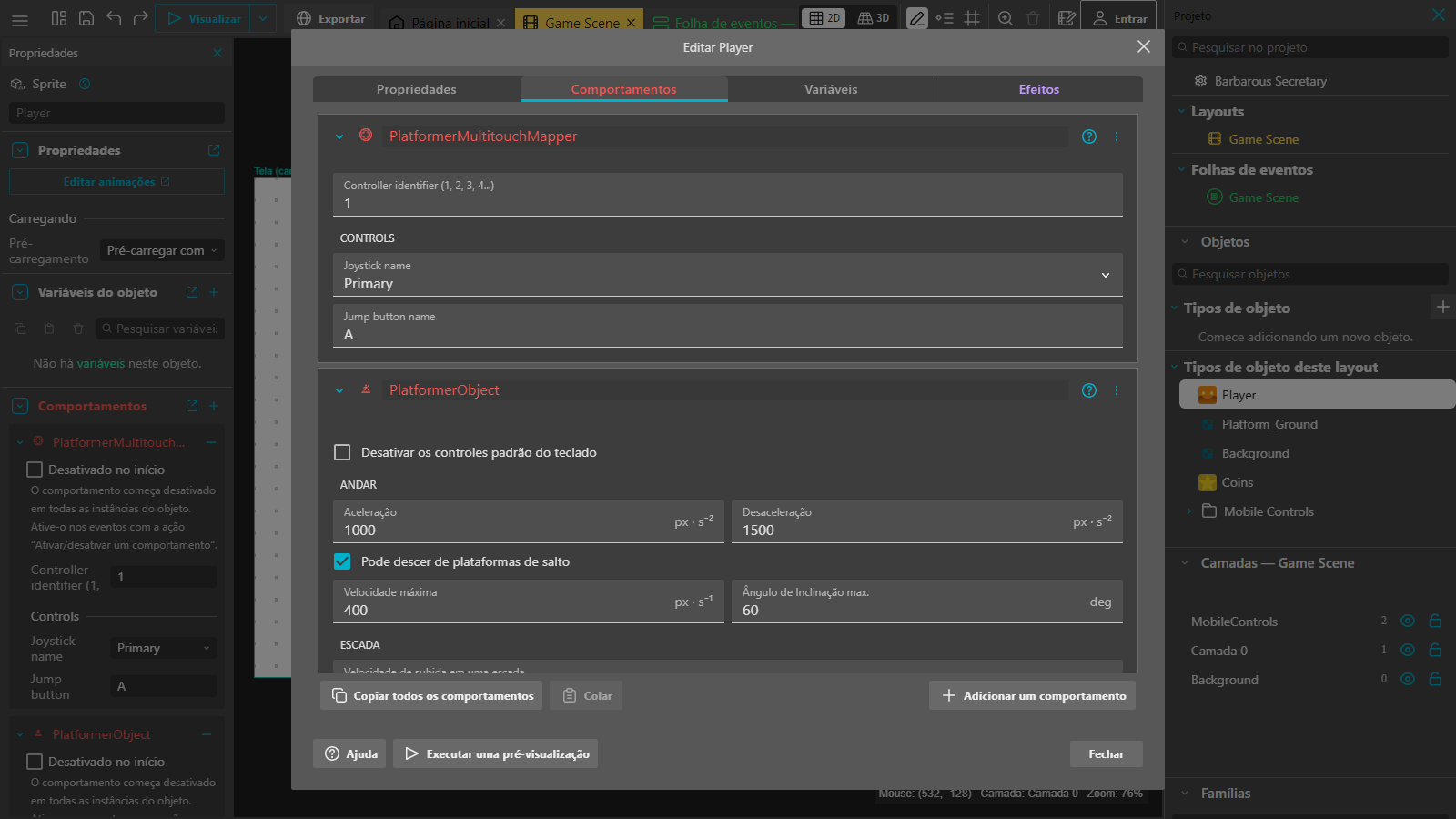
You can also tweak them in the side panel by clicking an instance in the layout.
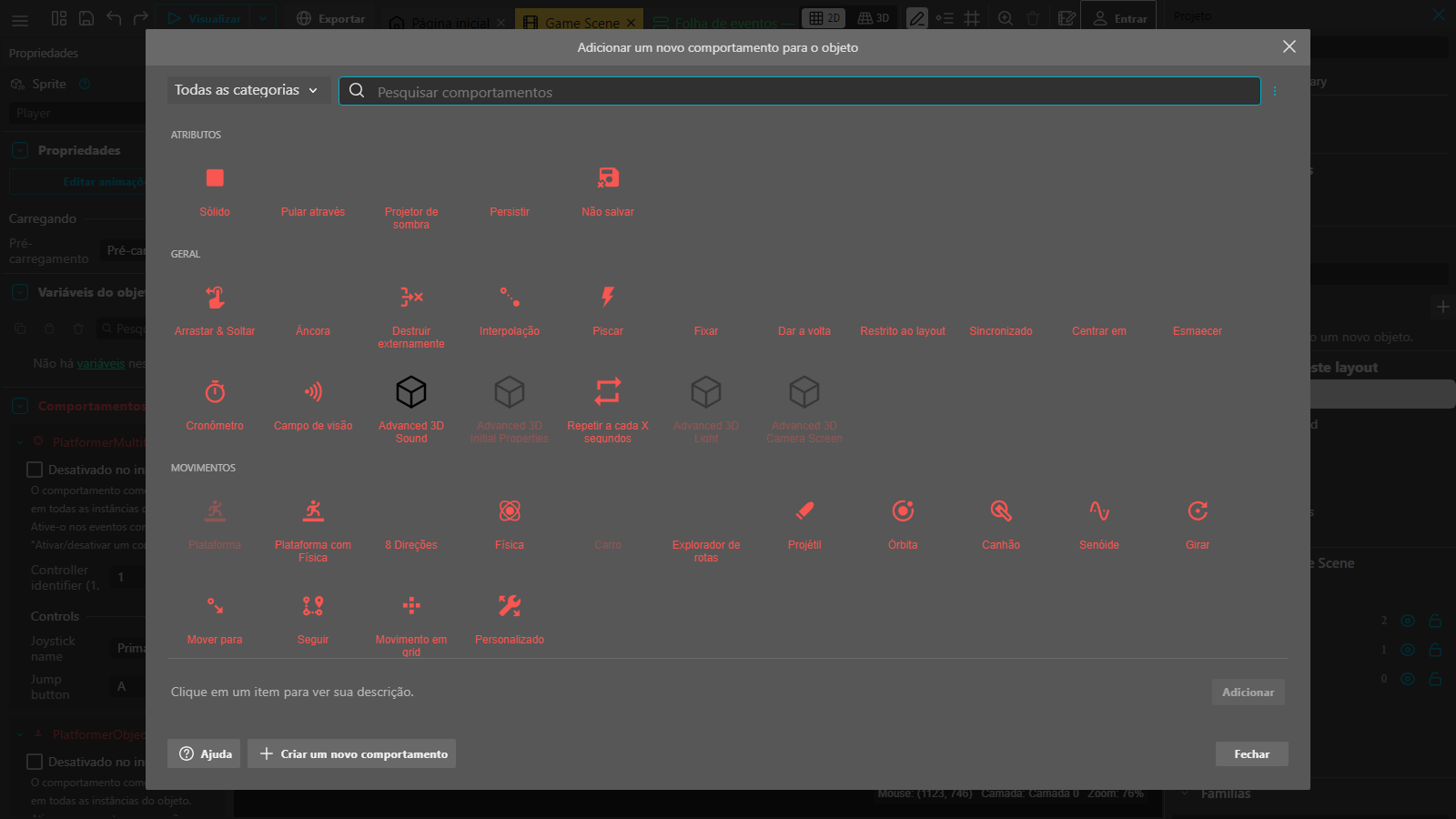
The most used
| Behavior | What it does |
|---|---|
| Platform | A platformer character: walks with the arrows, jumps with the up arrow and falls with gravity. |
| Solid | Makes the object a floor or wall for the platformer character. |
| Jump-thru | A floor the character passes through from below and stands on from above. |
| 8 Direction | Movement in 4 or 8 directions, seen from above. |
| Bullet | Moves in a straight line with speed and acceleration (shots, balls). |
| Drag & Drop | The player drags the object with the mouse or finger. |
| Destroy outside | Deletes the object when it leaves the screen. |
| Bound to layout | Keeps the object inside the scene. |
| Smooth camera | The camera follows the object smoothly. |
| Flash | The object blinks. |
| Timer and Every X seconds | Count time for you. |
| Physics | Gravity, falls and realistic collisions. |
Note: with the Platform behavior the jump uses the up arrow, not the space bar.
Use the behavior in events
Each behavior brings its own conditions and actions. Pick the object and look for the behavior's name in the list. For example, with Platform:
| Conditions | Actions |
|---|---|
Player Is on floor and Keyboard: Key just pressed Space |
Player Simulate jump key |
That makes the player jump with the space bar too.
Turning them on and off
Tick Deactivated at start on a behavior to have it start switched off, and use the Activate/deactivate a behavior action to turn it on in events.